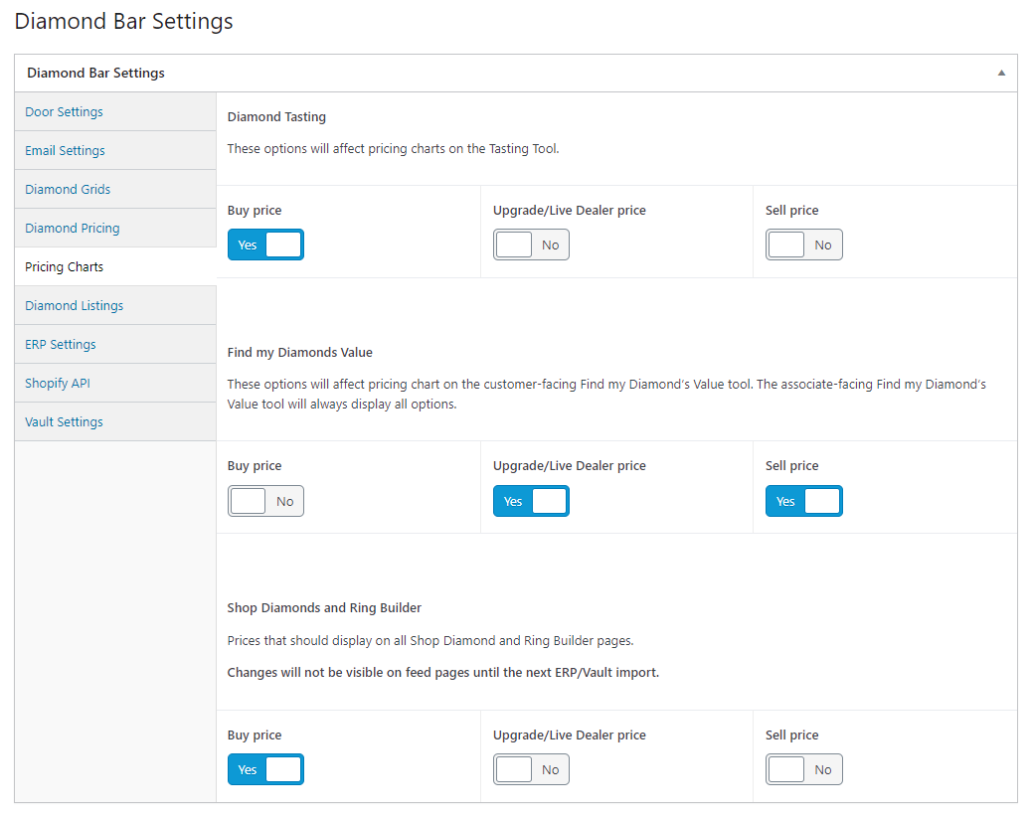
Pricing Graph Display (Diamond Bar Premium Only)
This content is only relevant for users with Admin access. If you believe you should have access to these settings, please contact your manager.
1.) To change which lines show on each graph in the front end of your site, make your selections by navigating to your store’s dashboard and selecting the “settings” tile:
2.) The following are Diamond Bar’s default/suggested settings. Your store may adjust them to your preferences.
3.) When finished, hit the “Update” button to save your changes: