Changing Markups and Margins
This content is only relevant for users with Admin access. If you believe you should have access to these settings, please contact your manager.
1.) Select the “Settings” tile from your Diamond Bar dashboard

2.) Select the “Diamond Pricing” option in the left-hand column
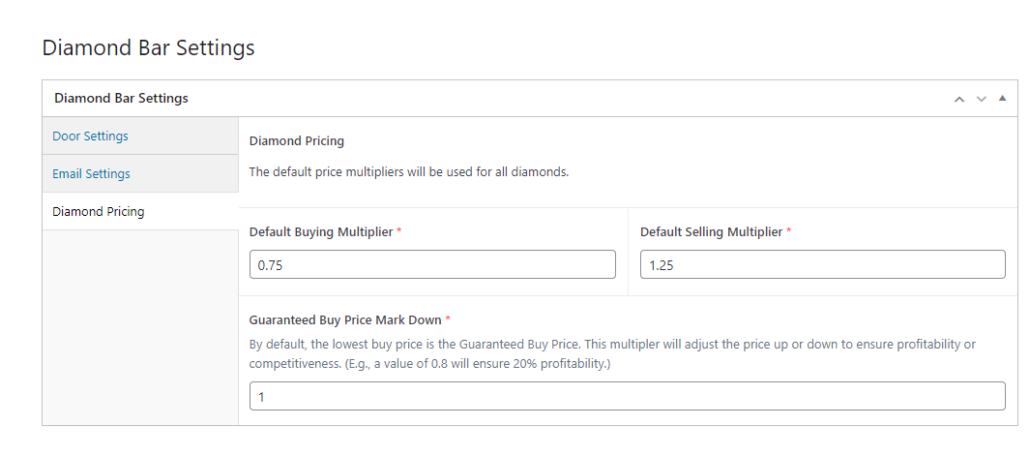
3.) All prices in Diamond Bar are based on the average wholesale price of all comparable diamonds on the wholesale market. The prices for the default buying multiplier and default selling multiplier are based on the average wholesale price.
The Buying Multiplier should be a number less than 1, which will allow your buyers to offer less than wholesale when buying diamonds over the counter.
The Selling Multiplier is the markup for your retail diamonds. This should be a number higher than 1.
The Guaranteed Buy Price Mark Down determines your lowest buy price, based on Diamond Bar’s Guaranteed Buyback Price. This number must be 1 or less.
4.) When finished, hit the “Update” button to save your changes.